
Reserve Inventory for Container Packing
cieTrade now allows clients to reserve inventory to specific sales orders for export shipments that have multiple packed containers on one load.
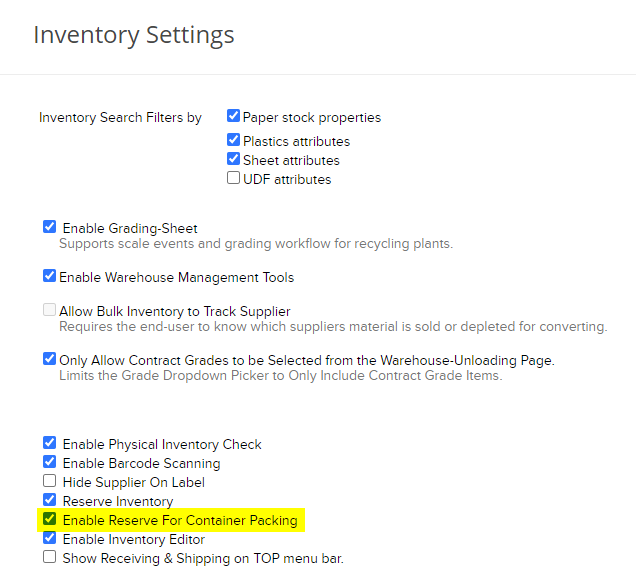
This can be enabled in Settings > Inventory Settings by checking off the 'Enable Reserve For Container Packing' feature.
How to Reserve Inventory for Containers
1) Navigate to the Inventory Manager module, update the report filters (as needed), and select Go to view the available inventory.
2) Using the check boxes, choose which inventory items will be reserved towards the order. Once all inventory is marked off, click on the Reserve button at the top of the inquiry.
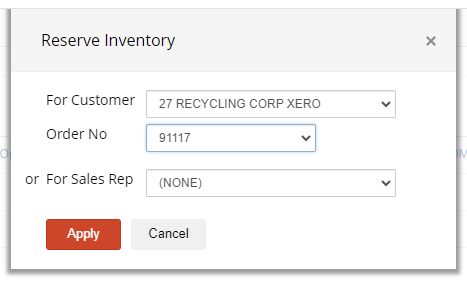
 3) Use the Reserve Inventory window to select the For Customer and Order No. Select Apply to mark the inventory as reserved.
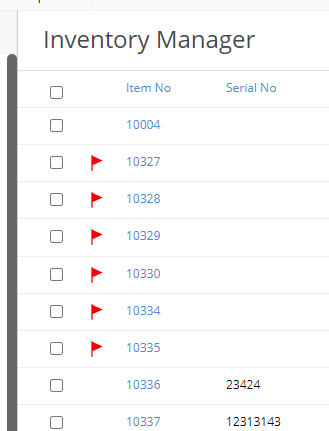
NOTE: Any reserved inventory on the database will be listed in the Inventory Manager with a red flag next to the item number.
How to Select Reserved Inventory When Packing Containers
1) Go to the Containers module and select Tasks > Pack Container.
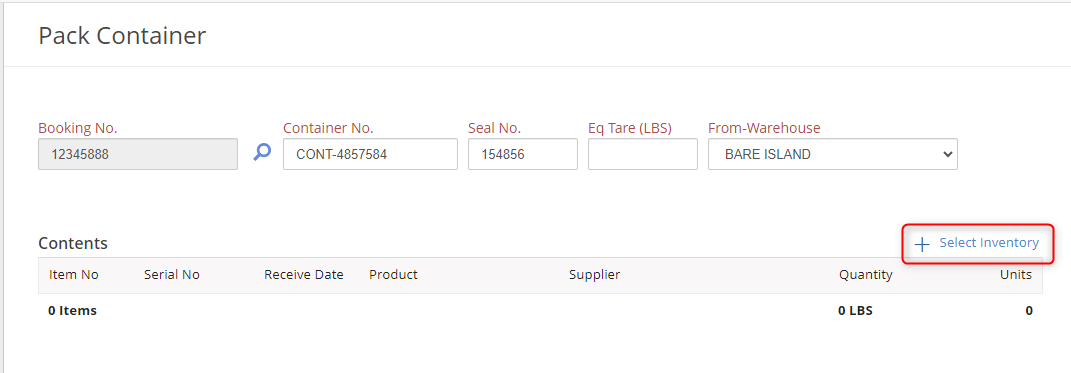
2) Begin entering your container details by linking the Booking No. and typing in your Container No., and Seal No. Eq Tare is an optional field for recording your container tare weight.
3) Use the From-Warehouse drop down to select where the container is being packed.
4) Choose the inventory that will be packed into your container by using the + Select Inventory button. This will open the Pick Inventory screen which displays and filters various inventory items.
5) With this feature enabled the Sales Order Reserve field will appear next to the filter options. This requires an exact sales order number is entered in order to pull up inventory reserved for that specific order. Click Go to reveal a list of the reserved inventory.
6) Check off the items you want to pack the container with and select Apply to pull them onto the container Contents list.

 7) Once all inventory has been applied click Create. Your container is now packed and available to sell out on a shipping worksheet.